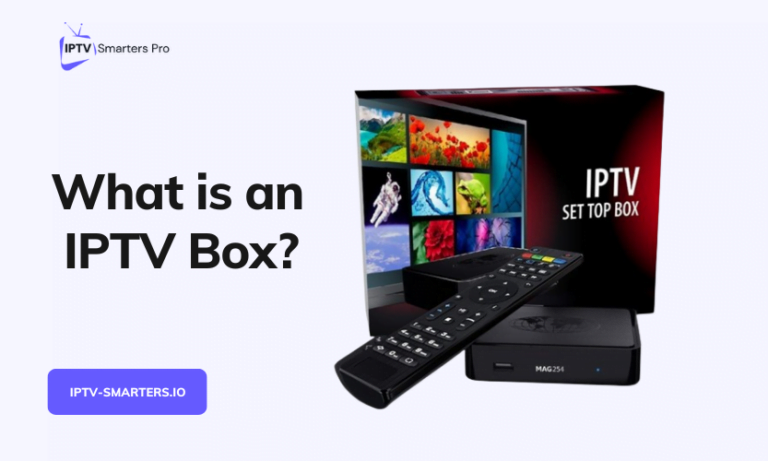
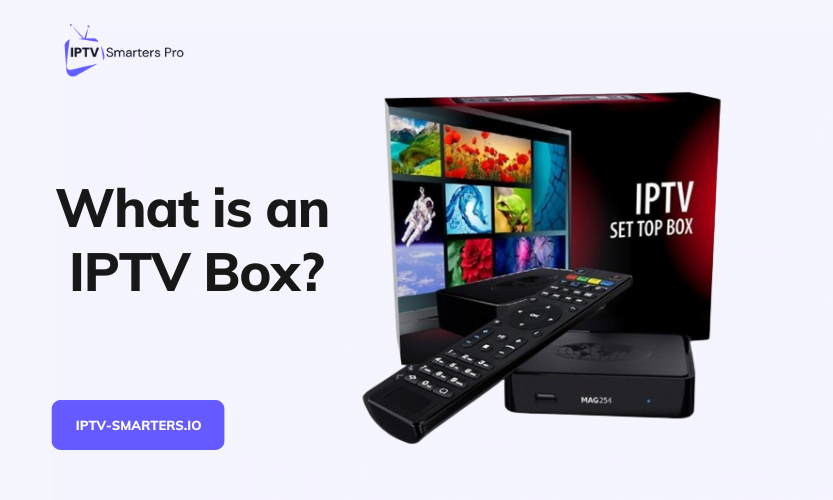

What is an IPTV box?
An IPTV box is a set-top box that receives television over your internet connection. It decodes that signal into a picture on your screen. Whether you need one turns on what you already have connected. A device that installs the app plays the same streams from the same app login.
Nearly all of the pages ranking for this search run as graded lists of hardware, with purchase links attached. The few that ask whether you need a box at all answer in a line, then return to the models. This page starts the other way round, from the device already under your television. It also starts from the platform rules that decide what the device can run.
There are real cases where a dedicated IPTV box is the right buy. Among them are a television with no apps at all and a set too old to install anything current. Another is a provider that issues a portal address instead of an ordinary login.
One device, three names
Set-top box, STB and IPTV receiver all name the object this page calls an IPTV box. The name set-top box comes from where the device used to sit, on top of the television. If you ever rented one from a cable company, you already have the right mental model. It is the same unit, with the coaxial socket swapped for an Ethernet port and Wi-Fi. Receiver is the satellite tradition’s word for the same thing, and it survives in product listings.
The uncomfortable fact about the category is how little of the job an IPTV box keeps to itself. Fetching a stream over the internet, decoding it and sending it out over HDMI is the whole job. A Firestick, an Apple TV, a Google TV device or a smart TV app already does exactly that. The dedicated unit shares that whole job with hardware most households already own. That overlap is why the buying question deserves an answer before any model page opens.
One boundary is worth drawing early. An IPTV encoder is the opposite end of the chain from an IPTV box. It sits at a broadcaster’s side and turns a studio or camera feed into a stream that boxes and apps then receive. If you are putting channels onto a network rather than watching them, you are shopping for broadcast-side equipment. Trade documentation will serve you far better than any page written for home viewing.
What does an IPTV box do that a Firestick or smart TV does not?
Less than the category implies. Four differences survive contact with the makers’ own documentation, and only the first is categorical. The others decide for particular readers or come down to preference.
- A portal instead of a login. Infomir, the maker of MAG boxes, documents a portal as a web application the IPTV box loads from an address pre-specified in the device, served by the operator’s middleware, in its own documentation. An app takes a username. A portal takes a URL configured for your particular device, and no app-store hardware loads one natively.
- Ethernet as standard. Infomir’s MAG boxes and Formuler’s Z8 list a wired port on their own specification pages. Amazon’s own specification sheet, by contrast, shows every current Fire TV stick taking Ethernet through an adapter only, and the cheaper Apple TV 4K model has no wired port at all.
- No app store in the way. What a Firestick, Apple TV, Roku or smart TV can run is a policy decision by its platform owner. A Linux portal box answers to no store, though the category is no longer uniform: Infomir’s current range includes one Google TV model, which answers to Google’s.
- A television-shaped remote. Number keys and channel buttons are a real preference in some households. A preference is all it is, though, so weigh it as comfort rather than capability.
Decoding is not the difference
Decoding is deliberately missing from that list. Infomir’s current MAG line documents 4K with HEVC, and current Fire TV sticks document the same. So the picture a dedicated IPTV box produces is no better than a stick’s picture from the same stream. The streaming path is identical end to end. Fetch the video over ordinary web requests, decode it in hardware, and hand it to the HDMI cable.
Do you need to buy an IPTV box?
Not if a device you already own runs the app. In most US internet households, one is already in place. Parks Associates reported in January 2026 that 61% of US internet households use a smart TV as their primary streaming video device.
Three checks settle it, and none of them costs money. Look at what you already have connected and ask your provider which shape of login they issue. Then run a free trial on whatever passes the first check.
When you do not need a box
- Your television runs the app from its own store. Samsung sets from 2015 onward and LG sets with the Content Store install apps directly, and the IPTV Smarters FAQs list compatibility with “many Smart TVs”.
- A stick or box is already connected. With an app login, on a platform that installs the app, the device already in an HDMI port does everything an IPTV box would do. Check which operating system a Fire TV stick runs first, because the newest models changed it.
- You only want to test a subscription. A phone, tablet or computer is enough, and the 24-hour free trial runs on any of them.
- Your problem is buffering. An IPTV box cannot add bandwidth or strengthen a Wi-Fi signal, so buffering that starts in the network survives any hardware change.
- You want a second simultaneous stream. Streams are counted per account, not per device, so a second IPTV box cannot add one.
When a box is the right answer
- Nothing in the house runs the app. Any television with an HDMI input can take a streaming device, and buying one is the only route onto a screen with no apps and no spare device.
- The set is too old for current apps. Samsung’s own developer pages put sets from 2014 and earlier on a legacy platform, and its support guidance for a missing app is to connect “a media player, a game console or a compatible TV box”. A television maker recommending a box is as strong as this case gets.
- Your provider issues a portal address. A portal loads only on an IPTV box built for portals, which is the MAG case. Ask which shape your login takes before buying anything, because the answer picks the hardware by itself.
- The platform refuses the app you need. Roku and Apple TV offer no consumer route outside their own stores, so a missing listing there is a dead end for an ordinary household.
- You want a wired connection your current device cannot take. MAG and Formuler IPTV boxes carry the Ethernet port that sticks only manage through an adapter. Wi-Fi is usually enough, though. The number that decides is the speed the device at the television actually achieves, not the one a router-side speed test reports. A wired run earns its place only when that first number falls short.
Check the device already under the television
Which apps a device can install is a policy decision by its platform owner, not a hardware limit. Platform owners publish and date these rules, which matter more to an IPTV box decision than any spec sheet.
Amazon Fire TV now spans two operating systems. Amazon’s device specification page, last updated September 30, 2026, lists Vega OS on three current sticks. They are the Fire TV Stick 4K 3rd Gen, the 4K Select and the Stick HD. The Fire TV Stick 4K Plus stays on Fire OS 8, which is Android-based. That OS carries Amazon’s documented route for installing apps from outside its store.
Vega OS takes packages in Amazon’s own .vpkg format. Amazon’s developer pages show no route for installing an Android APK on it. So advice written for an older Firestick is now model-dependent. The sideload route that exists on the 4K Plus has no documented equivalent on the three Vega OS sticks.
Can you use the Android box you already have?
Yes, and the thing to check is Play Protect certification. Certification decides whether the Play Store is present and whether the box gets security updates. Google’s certification page states that “Only Play Protect certified devices are eligible to include Google apps, like the Google Play Store app”. It also warns that an uncertified device “may not be secure and may not function properly”.
The check takes under a minute on the box itself. Open the Play Store app, then the profile icon, then Settings, then About, and read the certification status. A cheap media box can run Android and carry neither the store nor security updates. Google’s warning describes exactly that device. A sideloaded player may still run on an uncertified box, but the store and the security checks are what certification actually adds.
A certified device running the app does everything the IPTV box label promises for an app login. The Android box guide covers the install itself.
The platforms that make it awkward
Apple TV installs from its App Store only. Apple’s support pages add that a 3rd-generation Apple TV cannot install new apps at all. Roku is stricter still. Its store is the only consumer route, and even its developer mode allows one sideloaded app at a time. The Roku walkthrough covers the routes that do exist there, sideloading through developer mode and screen mirroring.
LG’s webOS installs from its Content Store, and anything added through LG’s developer mode lives on a session that expires. Samsung’s equivalent needs a certificate profile, which is nobody’s idea of a consumer feature.
One detail from this site’s own pages makes the same point. The downloads page offers direct downloads for Android, iOS, Mac and Windows, plus a Google Play route, but none for a Firestick or a smart TV. On those platforms the app arrives through the platform’s own store or not at all. That is exactly the policy decision a Linux portal box sidesteps. Per-device steps live on the installation hub, so none of them needs repeating here.
The routes, compared
Six routes put the same subscription in front of you. The rows below are routes rather than models, because the route decides the experience and the model mostly does not. Only one of the six means buying a dedicated IPTV box.
| Route | Hardware to buy | How the app or login gets on | Does well | Cannot do |
|---|---|---|---|---|
| The TV’s own app store, Samsung or LG | None | Install from the store on the set | No extra box, remote or input | Help a Samsung set from 2014 or earlier |
| A stick or box already connected | None | Platform store, plus a documented sideload route on Fire OS models | Uses what is already plugged in | Install from outside Amazon’s store on Vega OS sticks |
| A certified Android TV or Google TV device | A new device | Play Store, with outside installs documented and scanned | Fewest documented obstacles | Prove its own certification, which you check in the Play Store settings |
| A generic Android media box | A new device | Sideload, or a player the seller bundled | Low price, though no maker publishes one | Guarantee Play Store access or security updates |
| A dedicated IPTV box, portal or MAG class | A new device | A portal address your provider configures | The only route that takes a portal login | Run the rest of the household’s apps |
| A phone, tablet or computer | None | Direct downloads for Android, iOS, Mac and Windows | Tests the subscription before any hardware spend | Serve as the living-room screen for long |
Which three rows matter most
Three rows carry the decision for most readers. The first is where most homes already are. The second carries the newest trap in the subject, which operating system a stick runs. The last is the one that costs nothing to try before committing to an IPTV box at all.
If you do buy a box, run these checks first
Criteria age better than model names: a graded list of boxes expires faster than the page carrying it. Four checks decide whether a given box will serve you.
- Match the box to the login you will be given. An app login is either an Xtream Codes style set, meaning a server address, a port, a username and a password, or an M3U link, which is a plain-text channel list fetched from one URL. A portal address loads on a portal-capable IPTV box and on nothing else. Ask the provider which they issue before paying anyone.
- Check the decoding against the streams you will actually watch. 4K with HEVC is documented across Infomir’s current MAG line and current Fire TV sticks alike. A 4K badge adds nothing to an HD channel, though, so ask what the subscription sends before paying for headroom. Output ages too: Infomir’s archive lists the retired MAG254 with an HDMI 1.4 output, a version that cannot carry 4K at 60 frames.
- Check how long the maker ships updates, on the maker’s own page. Formuler’s own page for its Z8 box lists Android 7, and Google ties certification to recent security updates, so an old OS on cheap hardware is a cost deferred rather than avoided.
- Count the hidden extras. An Ethernet run to the television if you want the wired port used, an adapter where there is no port, and one more remote, HDMI input and power socket on the strip. All of them are real.
What an IPTV box costs
A hardware price is one of the least stable facts in this subject, and almost nobody publishing one traces it to a maker. This article could verify exactly one maker-published price. Apple’s own store lists the Apple TV 4K at $199.00 for the Wi-Fi model and $249.00 for the model with Ethernet. Infomir publishes no consumer price for a MAG box at all. Its buying page routes orders to wholesale and regional retail, so most IPTV box prices you will meet are resellers’ numbers that can change without notice.
Models also leave production faster than the articles about them get refreshed. Infomir’s own archive lists more than a dozen retired MAG models. A retired IPTV box still circulating second-hand has stopped getting updates.
The number that matters more sits on the other side of the sum. The 3 Month Subscription costs $29.99, the 6 Month Subscription $59.99 and the 12 Month Subscription $89.99 on the pricing page. Every plan there states “Works With Any IPTV Player”. The business selling the subscription is saying the hardware choice is yours, so run the sum in that order. Test the subscription on something you already own, then decide whether an IPTV box would improve it.
What no box will fix
Three limits survive any IPTV box purchase, and all three are worth knowing before money moves.
A slow or congested connection
Google’s router support documentation is blunt about where speed comes from. A speed test measures from the router. A slow line from your ISP stays slow, whatever equipment sits downstream of it. Wi-Fi then loses more to distance, walls and the band in use, in Google’s own Wi-Fi documentation. A new IPTV box on the end of a weak chain decodes the same weak stream.
ITU-T, the international telecoms standards body, defines IPTV as television delivered over IP networks. Those networks are managed to provide a required level of quality of service. A subscription arriving over the open internet is not on a managed network. So that requirement does not travel with it, whichever device receives it.
The one-stream limit
The IPTV Smarters FAQs answer the multi-device question directly. The same login works on multiple devices, but “we only allow streaming on one device simultaneously to ensure optimal performance”. The account counts streams, not devices. So adding an IPTV box in a second room buys a screen to take turns on, never a second stream. A box also feeds only the one television it is plugged into.
Missing catch-up or archive
Pause, rewind and catch-up live on the provider’s server. There, the operator runs a recording service, a Flussonic DVR in Infomir’s own middleware documentation, and sets the archive depth. An IPTV box displays an archive that exists. No IPTV box creates one.
What the UK’s IP regulator says about streaming devices
The UK Intellectual Property Office publishes consumer guidance on what it calls illicit streaming devices, dated November 2017. The distinction it draws is worth quoting rather than paraphrasing. Such devices “are legal when used to watch legitimate, free to air, content”, in the IPO’s own words. They “become illegal once they are adapted to stream illicit content”.
The word carrying the weight in that guidance is adapted. On the IPO’s framing, the hardware is general purpose. The question attaches to what someone does with the device and who distributes what it plays.
An IPTV box sold with someone else’s channels already loaded, often listed as “fully loaded”, is what the IPO’s guidance describes. Nothing in this article covers finding, buying or using one.
Frequently asked questions
Do I need a separate subscription to use an IPTV box?
Yes. An IPTV box of any kind ships with no channels of its own. The content comes from a subscription you buy separately. The hardware is a one-off cost with no monthly fee attached to the box itself, and the subscription is the recurring cost.
Is an IPTV box worth it?
Only when something blocks the device you own. The honest cases: nothing in the house runs the app, the set is too old for current apps, or the provider issues a portal address. The platform refuses the app, or you need a wired port your device cannot take. Outside those cases, the same streams play on hardware you own.
Do I need a 4K box?
Only if the stream, the IPTV box’s decoder, the HDMI version and the television’s panel can all carry 4K. Picture quality is capped by the weakest of those four links. A 4K decoder playing an HD channel changes nothing you can see.
What do I need from my provider before a box is any use?
A login, and its shape decides the hardware. An Xtream Codes style login or an M3U playlist link works in an ordinary player app. A portal address is the exception, and only a portal box loads it.
Will a box offer different apps in a different country?
The same IPTV box can show a different catalogue. Google and Apple both document that store catalogues vary with the country on the account. So the apps on offer can change once the account’s country changes. No maker this article could reach documents whether a box bought abroad works at home.
One evening settles it
Run the 24-hour free trial on whatever you already own that runs the app, even a phone. Give it a normal evening. That means the programmes you would watch anyway, at the hour everyone is home. That evening tests the links no spec sheet reaches: your line, your Wi-Fi and your provider’s server. It costs nothing.
Here is the view this page has earned. Hardware enters the decision only when that evening fails. It also enters when the television cannot run anything current, or when the login turns out to be a portal address. Buy an IPTV box when the test proves you need one. Keep the money when the device already plugged in passes.