
The short answer
IPTV Smarters Pro vs Lite is not a choice between two versions of one app. Three apps share the name, and only two are still in the stores. The original IPTV Smarters Pro from WHMCS is gone from Google Play and the App Store as of November 2026.
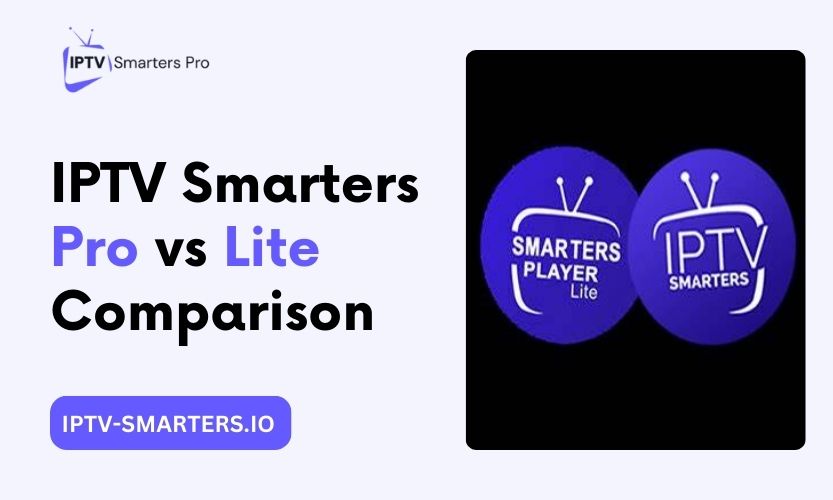
Smarters Pro from Tech Smarters Private Limited is the fuller build, and Smarters Player Lite from WHMCS SMARTERS is the lighter build. Pick Lite for simple viewing and older Apple TV models. Pick Smarters Pro for multi-screen and the fuller feature set.
This guide names each app, its seller, and its store status, all checked against live App Store listings in November 2026. It then compares the two listed apps feature by feature, with prices labelled by region. Anything the listings do not state is marked as unverified instead of guessed.
Which app is which: the three-app decoder
The confusion starts with the name. Three different apps have carried it, from two different sellers. Read the seller name on the listing in front of you before you install anything. That one check protects you from lookalikes.
Original IPTV Smarters Pro: removed from the stores
The original IPTV Smarters Pro came from WHMCS Smarters. Store checks dated 14 October and 3 November 2026 found no listing for it on Google Play or the App Store. A Madrid court ordered its removal in December 2022 after a complaint from LaLiga.
A JioStar takedown removed 36 apps in March 2026. Do not install it from anywhere. If you already have it, it keeps working for now, but it gets no updates, and you cannot reinstall it after a factory reset.
Smarters Pro: the fuller build, listed
Smarters Pro comes from a different seller, Tech Smarters Private Limited. It is listed on the App Store. The New Zealand App Store listing opened on 8 November 2026 shows version 2.6.6, free to download, with a Premium in-app purchase of $9.99 in the New Zealand store.
It needs tvOS 15.6 or later on Apple TV, and iOS 15.6 or later on iPhone. The listing says it is a standalone media player with no content of its own. It takes M3U and JSON playlists, and an Xtream Codes login (called Player API on Apple devices).
Smarters Player Lite: the lighter build, listed
Smarters Player Lite comes from WHMCS SMARTERS. It is listed on the App Store. The United States App Store listing opened on 8 November 2026 shows version 1.4.2, dated 11 September 2026, free to download, with a Premium in-app purchase of $1.99 in the United States store.
It needs tvOS 12.0 or later on Apple TV, and iOS 15.6 or later on iPhone. Like Smarters Pro, it is a standalone media player with no content of its own. It takes M3U and JSON playlists, and the opened setup guides also show an Xtream Codes login.
Other listings carry similar names from other sellers. A November 2026 store check by iptvguard.app found a similar listing published by Smart Widget Labs. Another app called Smarters IPTV Player comes from SmartersPlayer LLC, based on App Store search results seen in research.
Neither is the WHMCS Lite build or the Tech Smarters Pro build. Check the seller name on the listing in front of you. The United States listing for Lite shows WHMCS SMARTERS, and the New Zealand listing for Smarters Pro shows Tech Smarters Private Limited.
The comparison table
The table compares the two apps you can still install. The original Pro is left out because it is no longer listed. Feature rows rest on the opened guides, because the App Store listings do not list features. Cells marked [UNVERIFIED] rest on one source or on sources that disagree.
| Feature | Smarters Pro | Smarters Player Lite |
|---|---|---|
| User interface | Full interface with more settings | Simple list view with fewer settings |
| Multi-screen support | Yes | No |
| Program guide | Full guide | Basic list view |
| Parental controls | Yes | Conflicting reports [UNVERIFIED] |
| Device compatibility | iPhone, iPad, Apple TV (tvOS 15.6 or later), Mac with Apple Silicon | iPhone, iPad, Apple TV (tvOS 12.0 or later), Mac with Apple Silicon |
| Pricing | Free to download, Premium $9.99 (NZ) | Free to download, Premium $1.99 (US), $3.99 (NZ) |
| Catch-up TV | Yes | On supported channels |
| External player support | Yes [UNVERIFIED] | Limited [UNVERIFIED] |
Two rows need a warning. Parental controls on Lite are reported both ways, so the cell says so instead of picking a side. External player support is not stated in either App Store listing, so both cells are marked unverified.
Multi-screen support and program guide depth rest on the opened guides, not on the listings. Android availability for Lite is also unsettled: one opened guide says the genuine Lite is no longer on Google Play, and another tells readers to install it from Google Play. Neither app has a verified native Windows installer as of October 2026.
Pricing by region
Both apps are free to download. You pay only if you choose Premium, and Premium costs different amounts in different stores.
Smarters Player Lite charges $1.99 for Premium in the United States App Store, as shown on the listing opened on 8 November 2026. The same Premium costs $3.99 in the New Zealand store, based on a check dated 14 October 2026.
Smarters Pro charges $9.99 for Premium in the New Zealand App Store, as shown on the listing opened on 8 November 2026. No listing spells out what Premium adds. Do not pay for Premium expecting a named set of features, because the listings do not name any. Check the price on the listing in your own store before you buy, because store prices change by region.
Claims on some comparison pages that Pro is completely free with no in-app purchases are wrong for the App Store builds. Both listings show a Premium in-app purchase.
How to install each app
Install only from the official App Store. Check the seller name on the listing before you tap install. That check is the whole safety step.
Smarters Player Lite
- Open the App Store on your iPhone, iPad, or Apple TV.
- Search for the exact name Smarters Player Lite.
- Check the seller name on the listing. It must read WHMCS SMARTERS.
- Install it from the store. On Apple TV you need tvOS 12.0 or later.
- Open the app and log in with the details your provider sent. You can use an Xtream Codes login or an M3U link.
On Android, the opened guides disagree about whether the genuine Lite is still on Google Play. If your regional Play Store has no listing under the WHMCS Smarters name, do not install a copy from an unknown website. Use another official player instead.
Smarters Pro
- Open the App Store on your iPhone, iPad, or Apple TV.
- Search for the exact name Smarters Pro.
- Check the seller name on the listing. It must read Tech Smarters Private Limited.
- Install it from the store. On Apple TV you need tvOS 15.6 or later.
- Open the app and log in with the details your provider sent.
A store check dated 3 November 2026 found Smarters Pro listed in the United States stores as well as New Zealand. Prices still differ by region, so check your own store before you pay for Premium.
Original IPTV Smarters Pro
Do not install the original Pro from anywhere. It is not listed on Google Play or the App Store in the checks dated 14 October and 3 November 2026. Do not install a downloaded file from a mirror site, and do not use a download code from a guide. If you already have the original Pro installed, it keeps working for now, but it gets no updates, and you cannot reinstall it after a factory reset.
On Fire TV, 2026 sticks with Vega OS cannot install apps from outside the store, so sideloading is not an option on those models. This comes from a guide that checked the stores on 14 October 2026.
Which one should you choose?
Pick Smarters Player Lite if you want the simpler app, you own an older Apple TV, or you want the lighter install. It runs on tvOS 12.0 or later, so it covers Apple TV models that Smarters Pro cannot run on.
Pick Smarters Pro if you want multi-screen and the fuller feature set, and your Apple TV runs tvOS 15.6 or later. For a day-to-day tour of the Pro features, see how to use IPTV Smarters Pro.
If you already have the original Pro installed, keep using it while it works, but plan a move. It gets no updates, and a factory reset would leave you with no way to reinstall it. On Android TV and Android boxes, the best Android players guide compares the alternatives.
If you use Windows, neither app has a verified native installer as of October 2026. If the app misbehaves on Apple TV, the Apple TV fix guide works through the fix ladder.
Frequently asked questions
What is the difference between IPTV Smarters Pro and Smarters Player Lite?
Smarters Pro and Smarters Player Lite are different apps from different sellers. Smarters Pro comes from Tech Smarters Private Limited and is the fuller build, with multi-screen support. Smarters Player Lite comes from WHMCS SMARTERS and is the lighter build, with a simpler interface. Both are standalone media players with no content of their own. Both take M3U playlist logins and Xtream Codes logins (called Player API on Apple devices).
Do not confuse either one with the original IPTV Smarters Pro from WHMCS, which was removed from the stores. That app is not the same as Smarters Pro, even though the names look alike.
Is IPTV Smarters Pro still available?
The original IPTV Smarters Pro is not available. Store checks dated 14 October and 3 November 2026 found no listing for it on Google Play or the App Store. A different app called Smarters Pro, from Tech Smarters Private Limited, is listed on the App Store. If you already have the original app installed, it keeps working for now, but it gets no updates.
Search the store for the exact name, and check the seller name before you install anything. The seller name is the fastest way to tell the apps apart.
Why was IPTV Smarters Pro removed?
A Madrid court ordered its removal in December 2022 after a complaint from LaLiga. A JioStar takedown removed 36 apps in March 2026. Store checks dated 14 October and 3 November 2026 found no listing for the original Pro on Google Play or the App Store.
Is it safe to download IPTV Smarters Pro as an APK?
No. Do not install an APK file from a mirror site. Modified APK files are a known malware route, and you cannot check what has been changed inside them. Install only from the App Store, and check the seller name on the listing first. If the store in your region has no listing, use another official player instead of a downloaded file.
Does Smarters Player Lite have a TV guide?
Yes, a basic one. Lite shows a simple list guide with what is on now and next. It does not show a full multi-day grid. That matches the opened setup guides, which describe a list view rather than a grid.
Can Smarters Player Lite record?
No source settles this, so treat recording on Lite as unverified. One opened guide says Lite records, and another says it does not. A third guide says neither Apple app can record. Do not choose Lite for recording until a primary source or a hands-on check settles the question.
If recording matters to you, check the feature on your own device before you rely on it. Do not trust a guide that states it flatly either way.
Key takeaways
- Three apps share the name. Only Smarters Pro and Smarters Player Lite are still listed.
- Check the seller name before you install anything: Tech Smarters Private Limited for Smarters Pro, WHMCS SMARTERS for Lite.
- Lite is the lighter build and runs on older Apple TV models, with tvOS 12.0 or later. Smarters Pro needs tvOS 15.6 or later.
- Both apps are free to download, with Premium priced by region. No listing says what Premium adds.
- Recording on Lite is unverified, because the opened guides disagree. Never install a downloaded file from a mirror site.