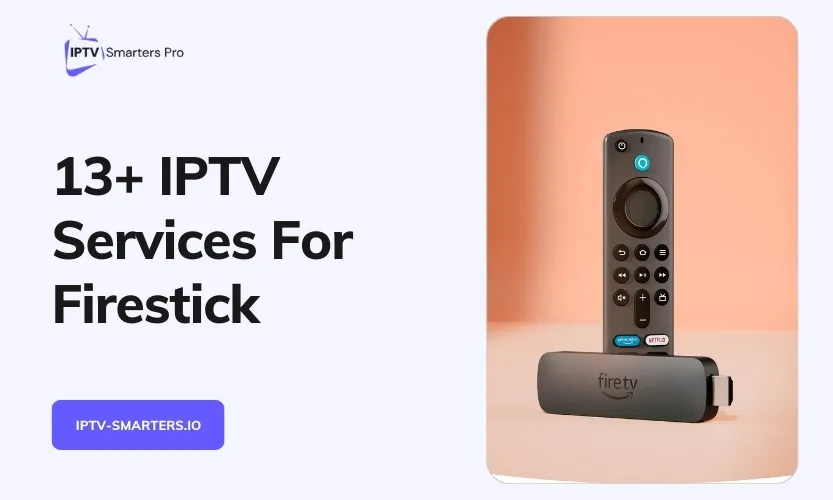

The best IPTV for Firestick is not one app. It is two choices: a player app that shows the channels, and a service that supplies them. Pick TiviMate or Smarters Pro, then test a service against the five checks below. First, check which Fire TV model you own, because the newest sticks cannot install player apps from outside the Appstore.
The decision order
Follow this order and you will not waste money on the wrong app or the wrong stick.
- Check your stick. Find out whether it runs Fire OS or Vega OS.
- Pick a player. TiviMate or IPTV Smarters Pro suits almost everyone.
- Decide free-only or paid service. Free live TV apps cover the basics, and a paid service fills the gaps.
- Test a service at peak time. Use a trial that asks for no card.
- Check connections. Count every stick that will play at the same time.
Install steps for the players live in our Firestick install guide.
Check your Fire TV model first
Amazon’s newest Fire TV Sticks run Vega OS, a Linux-based system that is not Android. Vega OS installs apps only from the Amazon Appstore. It has no Downloader app and no option to install apps from unknown sources, so it cannot run APK files at all.
Three sticks run Vega OS. The Fire TV Stick 4K Select came first, in 2025. The second-generation Fire TV Stick HD followed in April 2026, and the third-generation Fire TV Stick 4K arrived on 30 September 2026. Amazon says all future Fire TV Sticks will run Vega OS too.
Check your own stick before you buy or install anything. Go to Settings, then My Fire TV, then About, and read the software version. If it reads “OS” with a version number starting with 1, you have a Vega stick. If it reads “Fire OS”, you can sideload.
| Model | System | Sideloading |
|---|---|---|
| Fire TV Stick 4K Select (2025) | Vega OS | No |
| Fire TV Stick HD, 2nd gen (2026) | Vega OS | No |
| Fire TV Stick 4K, 3rd gen (2026) | Vega OS | No |
| Fire TV Stick 4K Max | Fire OS | Yes |
| Fire TV Stick 4K Plus | Fire OS | Yes |
| Fire TV Stick HD, 1st gen | Fire OS | Yes |
| Fire TV Cube | Fire OS | Yes |
| Fire TV smart TVs | Fire OS | Yes |
The names are a trap. “Fire TV Stick HD” and “Fire TV Stick 4K” each cover two different sticks now, one on Fire OS and one on Vega OS. The Vega HD has Wi-Fi 6, rounded corners and “Fire TV” printed on the stick. The Fire OS HD has Wi-Fi 5 and square corners.
The Vega 4K has a small “4K” next to the HDMI plug and comes in a white box. AFTVnews maintains a list of which Fire TVs run Vega OS and which still run Fire OS.
If you already own a Vega stick, the honest advice is to use Appstore apps only, such as Pluto TV, Tubi and Plex, or to exchange the stick within the return window. There is no workaround. A VPN does not change this, because the block is in the operating system, not in your network.
Buying a stick for IPTV in November 2026 is simple. The Fire TV Stick 4K Max, second generation, is the strongest stick for 4K and big playlists, with Wi-Fi 6E and 16 GB of storage. The Fire TV Cube, third generation, is the pick if you want a built-in Ethernet port. The Fire TV Stick 4K Select is a Vega stick, so it is Appstore apps only.
Pick a player
A player shows the channels. It carries no channels of its own, so it is free or cheap, and your service supplies everything you watch. Every player below takes an Xtream Codes or M3U login. For almost everyone, the choice is TiviMate or IPTV Smarters Pro. Install both and keep the one you like.
| Player | Best for | Free tier | Paid upgrade | Get it |
|---|---|---|---|---|
| TiviMate 5.3.3 | Cable-style grid guide, recording, multi-view | One playlist, no recording | Premium about $9.99 a year or $33.99 once, up to 5 devices | Downloader code 272483 |
| IPTV Smarters Pro 5.0 | Simplest menu, best for beginners and Apple households | Full app, free | Free | Free apps guide |
| Sparkle TV | Best free live TV with a proper guide | Live TV with grid guide | Plus adds recording, timeshift, VOD and more | Developer site |
| OTT Navigator 1.7.5.2 | Biggest playlists and tinkerers | Live, guide, catch-up, media library | Premium via OttNav Companion, covers 5 devices | Downloader code 982469 |
TiviMate Premium is bought in the separate TiviMate Companion app on an Android phone, not inside the player. As of November 2026 it costs about $9.99 a year or $33.99 once, and it covers up to 5 devices. Check the price in the app before you pay, because it varies by country. TiviMate has no version for iPhone, iPad or Mac, so Apple households should use Smarters Pro instead.
IPTV Smarters Pro is the easiest free player, and it works on Android, iPhone, iPad, Apple TV, Windows and Mac as well as Firestick. That makes it the better pick for a home that mixes Apple and Android screens. Install detail lives in our free Firestick apps guide, linked in the table above.
Sparkle TV Plus prices changed during 2026, so check the current price in the app before you buy. The free tier is live TV with the grid guide, and that stays free.
OTT Navigator’s Google Play listing was gone in October 2026, so use the developer’s own Downloader code above rather than a third-party APK copy. If that code fails, pick one of the other three players instead of hunting for a copy elsewhere.
Downloader cannot tell a real app from a copy. Get codes from the developer’s official site or a known Fire TV news site, never from random videos or comments. This matters most for Smarters Pro, whose main site is offline as of November 2026 and whose name is heavily copied.
If you want to record, TiviMate Premium and OTT Navigator Premium both add it. Our recording guide explains what Smarters Pro can and cannot record on each device.
If you also watch on Android TV, the same players work there. See our Android TV players guide for the Android picks.
Free or paid: what each option gives you
Free has two meanings here. Some apps are free players that still need a service login. Other apps are free live TV that needs no login at all. The table shows the three ways to watch.
| Free, no service | Free player plus paid service | Official paid streaming | |
|---|---|---|---|
| What you watch | Pluto TV, Tubi, Plex live channels | Full lineup through TiviMate or Smarters Pro plus a provider login | YouTube TV, Sling, Philo, Fubo, Peacock |
| Cost | $0, ad-supported | Player free, or about $10 a year for Premium, plus the service subscription | Paid monthly plans; check the provider’s site for the current price |
| Channels | Hundreds, no premium sports | A wide lineup, including sports and international, if the provider carries them | Licensed lineups; regional sports vary |
| Catch | No premium sports, new films, or deep international | Service quality varies; test at peak time before you pay | Priciest option; lineups vary by country |
Pluto TV carries over 250 live channels and needs no account. Tubi has films and shows plus some live news and sports. Plex carries over 600 live channels on a free account. What none of them gives you is most cable networks, regional sports, or your full local lineup. That gap is exactly what a paid service fills.
Players are legal products, like any media player. For a service, what counts is whether it holds the rights to the channels it streams. If a service offers premium channels for a price that looks too low, treat that as a warning sign.
The 5-point service checklist
Do not pick a service from a ranked list. Service lists go stale fast, and a list from two years ago is no guide at all. Check any service against these five points instead.
- Your channels. Search the provider’s list for your local stations and your teams before you pay.
- Peak-time stability. Watch a live game in the evening during the free trial, when the servers are busiest.
- An Xtream Codes login. It loads the guide by itself in TiviMate and Smarters Pro, with no separate guide file to add.
- Enough connections. Each stick playing at the same time counts as one, so count every screen in the house.
- A trial without a card and a written refund policy. If the trial asks for a card, or the refund terms are not written down, walk away.
Loading the same playlist into several apps at once can trigger “max connections” errors or get the line suspended, and it eats the stick’s limited storage. One app, one login, one stick at a time.
If a service from the old list no longer answers, do not chase look-alike domains. Pick from the checklist instead.
For a longer version of these checks, see our guide to choosing an IPTV service.
Performance and buffering
Buffering is mostly Wi-Fi and provider, not the stick. Use 5 GHz Wi-Fi and keep the router within a room or two. Go wired with an Ethernet adapter if you can. The Cube has a built-in port. Restart the stick now and then, and keep some storage free.
Plan about 15 Mbps per screen for HD and 25 Mbps or more for 4K. The 4K Max is the strongest stick for 4K and big playlists. The Cube’s advantage is Ethernet, not speed.
If every device buffers at the same time, the provider is the cause, not your stick. Test at peak time before you blame the hardware.
Frequently asked questions
What is the best IPTV for Firestick in 2026?
The best IPTV for Firestick in 2026 is TiviMate or IPTV Smarters Pro as the player, plus a service you test at peak time on a trial that asks for no card. Check your stick model first, because Vega OS sticks cannot sideload player apps.
What is the best IPTV app for Firestick?
The best IPTV app for Firestick is TiviMate if you want a cable-style guide with recording, and IPTV Smarters Pro if you want the simplest menu. Both are free to start, and both take an Xtream Codes or M3U login.
Is Amazon blocking IPTV on Firestick?
Amazon is blocking piracy apps, not players. Since late October 2025 it blocks apps on its piracy list, and since February 2026 it checks each APK at install time. General-purpose players ship with no channels and have no reported blocks.
Do I need a VPN for IPTV on Firestick?
No, you do not need a VPN for IPTV on Firestick. A VPN does not get around Amazon’s app block and it does not add channels. It is a privacy tool, not a way past a block.
Which Firestick is best for IPTV?
The Fire TV Stick 4K Max is the best Firestick for IPTV. It runs Fire OS, so it sideloads players, and it has Wi-Fi 6E and 16 GB of storage. The Fire TV Cube is the pick if you want a built-in Ethernet port.
Why is my IPTV buffering on Firestick?
Buffering on Firestick is usually Wi-Fi or the provider, not the stick. Switch to 5 GHz Wi-Fi or a wired connection, restart the stick, and test at peak time. If every device buffers at once, the provider is the cause.
Key takeaways
- The best IPTV for Firestick is a player plus a service, not one app.
- Check your stick model first. Vega OS sticks cannot sideload players.
- TiviMate or Smarters Pro suits almost everyone. Install both and keep the one you like.
- Test any service at peak time on a trial that asks for no card.
- If a service stops answering, pick from the checklist instead of chasing look-alike domains.